
MECAD Optimization Pack
MECAD Optimization Pack is a SOLIDWORKS Add-in that helps teams work more efficiently inside SOLIDWORKS. It brings together three focused tools in one integrated package:
From reducing manual drawing work to improving the handling of large assemblies and simplifying bulk property updates, MECAD Optimization Pack is designed to make day-to-day engineering workflows more efficient, structured, and easier to manage.
Request a MECAD Optimization Pack Quote
What is MECAD Optimization Pack?
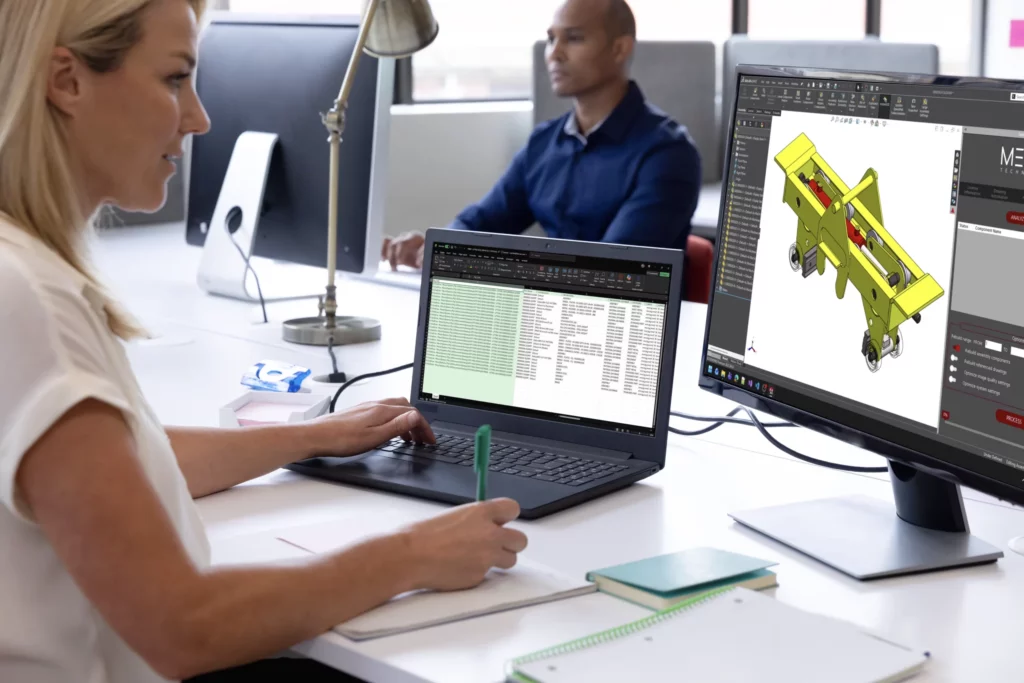
MECAD Optimization Pack is a productivity-focused SOLIDWORKS Add-in developed to improve common engineering workflows inside the SOLIDWORKS environment. Because it runs as an add-in within the software, users can access its functionality directly where design and documentation work already takes place.
The pack includes three tools that address different workflow challenges. Drawing Automation helps streamline drawing creation. Assembly Optimization is aimed at improving the performance of large assemblies. Property Definition makes it easier to manage custom properties across multiple files through Excel-based bulk editing.
For businesses that want to reduce repetitive tasks, improve consistency, and work more effectively in SOLIDWORKS, MECAD Optimization Pack provides a practical and integrated solution.
Key features of MECAD Optimization Pack
MECAD Optimization Pack is built to extend SOLIDWORKS with practical workflow improvements that support faster and more consistent engineering output. The add-in currently consists of three core tools, each targeting a different area of productivity inside SOLIDWORKS.
Drawing Automation
Drawing Automation is designed to speed up the creation of drawings from SOLIDWORKS parts and assemblies. It is suited to teams that produce a high volume of documentation and want a more efficient way to generate drawings while maintaining a structured output.
Key features of Drawing Automation
Automated drawing generation from SOLIDWORKS parts and assemblies
Creation of fully defined flat-pattern drawings for sheet metal components
Manufacturable drawing views with required annotations
Detection of missing balloons in large assembly drawings
Custom BOM splitting based on business-specific rules
Configurable logic to skip selected components when needed
Batch generation of multiple drawings in one process
Support for more standardised drawing output
Benefits of Drawing Automation
Speeds up drawing production across repetitive workflows
Reduces manual documentation effort
Improves consistency in drawing layouts and outputs
Helps create more complete production-ready documentation
Reduces the chance of missed elements in larger assembly drawings
Frees up more time for engineering work rather than drafting administration
Assembly Optimization
Assembly Optimization focuses on improving performance when working with larger and more complex SOLIDWORKS assemblies. It helps address performance bottlenecks that can slow down everyday modelling and review work.
Key features of Assembly Optimization
Large assembly optimisation inside SOLIDWORKS
Improved assembly open times
Reduced rebuild times
Identification of performance-heavy components
Better overall assembly efficiency
Benefits of Assembly Optimization
Improves responsiveness when working with large models
Reduces waiting time when opening or rebuilding assemblies
Makes complex projects easier to work with on a daily basis
Supports a more efficient modelling environment
Helps teams work more smoothly on assembly-heavy projects
Property Definition
Property Definition is built to simplify the way SOLIDWORKS custom properties are managed. By allowing property data to be exported to Excel, updated in bulk, and imported back into files, it creates a faster and more controlled way to manage file information.
Key features of Property Definition
Export custom properties from SOLIDWORKS files to Excel
Bulk update property values in Excel
Import revised property data back into SOLIDWORKS
Supports updates across multiple files
Simplifies custom property handling on larger projects
Benefits of Property Definition
Makes property updates faster across multiple files
Reduces one-by-one manual editing
Improves consistency of file metadata
Supports cleaner and more structured data management
Makes bulk property control more practical for engineering teams
Benefits of MECAD Optimization Pack
Reduce Repetitive
SOLIDWORKS Tasks
SOLIDWORKS Tasks
MECAD Optimization Pack helps remove time-consuming manual steps from common SOLIDWORKS workflows, especially in drawing generation and property updates.
Improve Performance
on Complex Assemblies
on Complex Assemblies
With Assembly Optimization included, teams can work more effectively with large assemblies and reduce the slowdowns that impact productivity.
Maintain Better
Data Consistency
Data Consistency
Property Definition helps keep custom properties aligned across multiple files, making project data easier to manage and maintain.
Use One
Integrated Add-in
Integrated Add-in
Because all three tools are delivered through a single SOLIDWORKS Add-in, teams can improve multiple areas of workflow without relying on disconnected utilities or manual workarounds.
Request a MECAD Optimization Pack Quote
Frequently Asked Questions about MECAD Optimization Pack
What is MECAD Optimization Pack?
MECAD Optimization Pack is a SOLIDWORKS Add-in that includes Drawing Automation, Assembly Optimization, and Property Definition to improve efficiency inside SOLIDWORKS.
Does MECAD Optimization Pack run inside SOLIDWORKS?
Yes. It works as a SOLIDWORKS Add-in, so it loads directly within the SOLIDWORKS environment.
Is MECAD Optimization Pack an API?
No. The SOLIDWORKS API is the development interface used to build solutions such as add-ins. MECAD Optimization Pack is the add-in itself.
Is this a macro or script?
No. MECAD Optimization Pack is not a macro. It is an integrated add-in designed to extend SOLIDWORKS functionality more permanently and more professionally.
What tools are included in MECAD Optimization Pack?
The add-in includes three tools: Drawing Automation, Assembly Optimization, and Property Definition.
What is the purpose of Drawing Automation?
Drawing Automation helps generate drawings from SOLIDWORKS parts and assemblies more efficiently. It supports bulk processing, sheet metal, weldment and machined drawings, balloon checks, BOM logic, and more consistent output.
What is the purpose of Assembly Optimization?
Assembly Optimization helps improve the performance of large SOLIDWORKS assemblies by reducing rebuild times, improving open times, and identifying components that affect efficiency.
What is the purpose of Property Definition?
Property Definition allows custom properties to be exported to Excel, edited in bulk, and imported back into SOLIDWORKS files, making property management faster and more consistent.
Who can benefit from MECAD Optimization Pack?
It is well suited to SOLIDWORKS users and engineering teams that want to reduce repetitive work, improve workflow efficiency, and manage drawings, assemblies, and file data more effectively.
How MECAD Technologies Can Help
Improve Documentation Efficiency
MECAD Technologies can help businesses that spend too much time on repetitive drawing creation by introducing Drawing Automation into their SOLIDWORKS workflow.
Improve Large Assembly Workflows
For teams dealing with slow performance on complex projects, MECAD Technologies can help assess where Assembly Optimization can improve day-to-day work inside SOLIDWORKS.
Improve File Property Management
MECAD Technologies can help businesses simplify the way custom properties are handled across parts, assemblies, and drawings through Property Definition and bulk editing workflows.
Get Started with MECAD Optimization Pack
If your team wants to automate drawing creation, improve large assembly performance, and make property management easier inside SOLIDWORKS, MECAD Optimization Pack offers a more efficient way to work.
Speak to MECAD Technologies to find out how MECAD Optimization Pack can support a faster, more consistent SOLIDWORKS workflow for your business.